 Peyo
FREE PEYOTE DESIGN CHART
A little heart. Your next color idea.
A free peyote-layout design chart with exact bead counts and two colorways. Download it, use it as a design reference, or redraw it in Peyo on iPhone and iPad.
Your free heart chart
12 columns · 10 cells per column · 120 beads
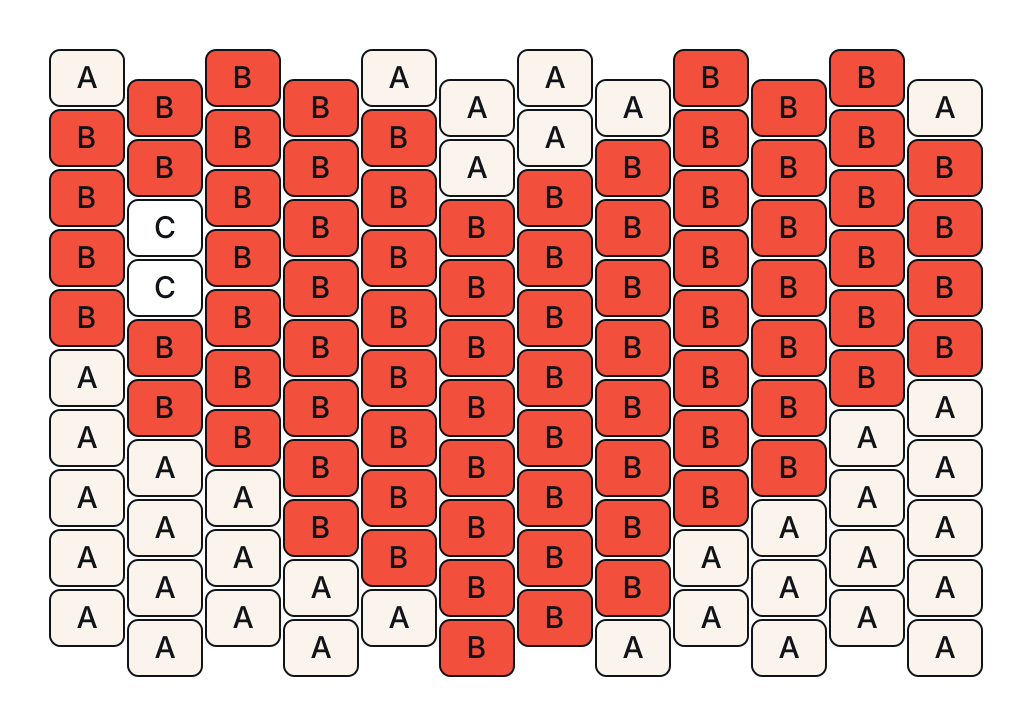
Beads by color
| Symbol | Coral colorway | Blue colorway | Beads |
|---|---|---|---|
| A | Cream | Cream | 38 |
| B | Coral | Blue | 80 |
| C | White | White | 2 |
| Total | 120 | ||
Counts include every cell in the rectangular chart, including the cream background. Letters identify the colors, so you can use the chart without relying on color alone. Screen colors are illustrative, not bead brand or product numbers.
See the blue colorway
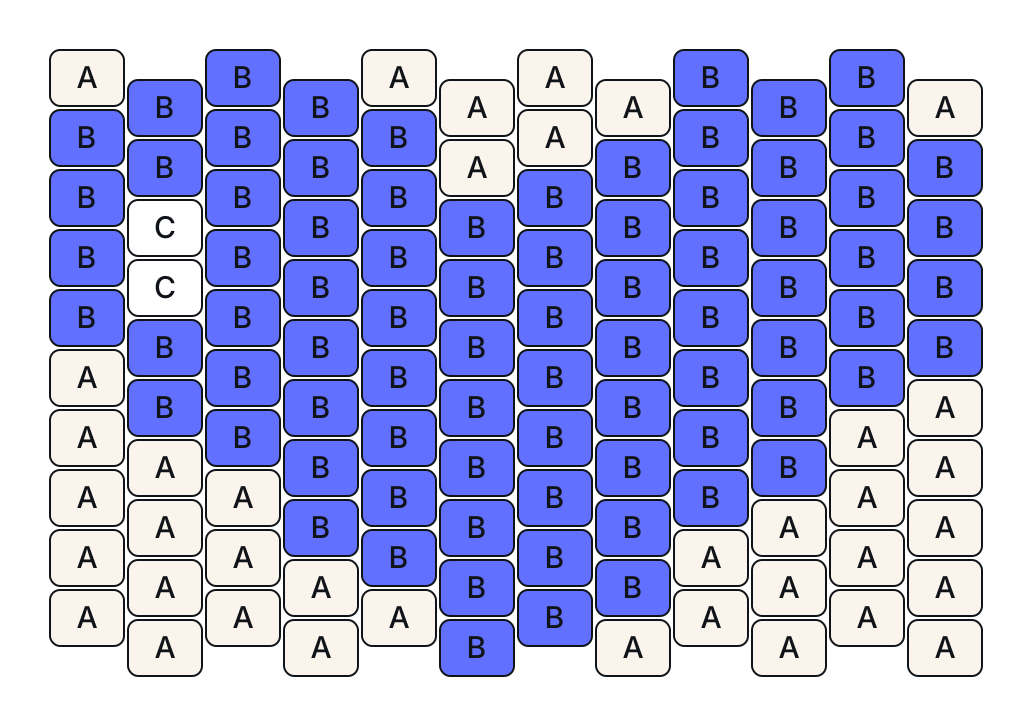 Download blue chart (SVG)
Make it your own in Peyo
- Start a blank design with 12 columns and 10 rows. Redraw the labeled cells, using three colors from your palette.
- Check the total and color counts against the table. Changing a color does not change the number of beads.
- Export your design as an image or a project card. Drawing, counting and image export are free; no account is required.
Optional: Peyo Pro lets you draw over a reference image and replace a color throughout a pattern. You can also redraw this chart by hand with the free drawing tools. Check saving options and prices in the app.
Draw your own pattern — get PeyoFor iPhone and iPad · Free drawing tools · Optional in-app purchases
About this chart
This is a design chart, not step-by-step bead-stitching instructions. Adjacent columns are shifted by half a bead, matching Peyo’s peyote canvas. Use your preferred flat-peyote stitching instructions for thread paths and finishing.
Original Peyo sample design. You may download, recolor, print and use this chart for personal beadwork. No purchase or email address is required.